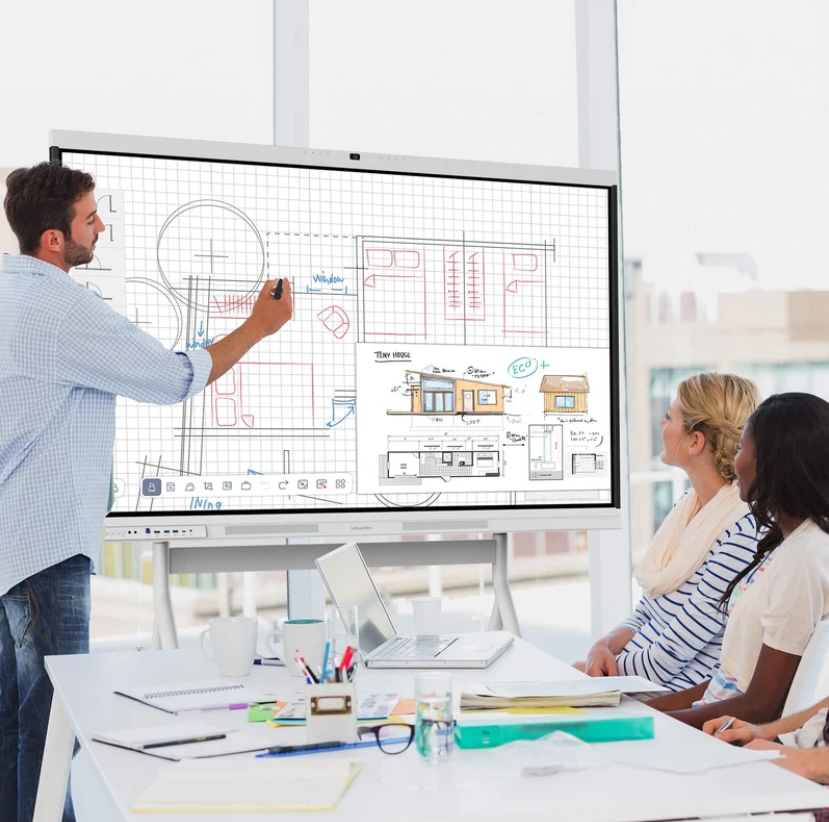
Selecting an interactive display for a school, meeting room, or training center involves more than comparing screen sizes and prices. Procurement teams need specifications that describe actual working requirements without favoring a particular manufacturer. Clear requirements help suppliers submit comparable proposals and allow evaluators to assess performance, compatibility, installation needs, and long-term operating costs. They also reduce the risk of purchasing equipment that looks suitable on paper but does not fit the intended environment.
For organizations exploring interactive display solutions, Nework smart board products provide a practical reference for considering touch interaction, wireless screen sharing, collaborative annotation, and device management. Nework develops smart display and collaboration solutions for education and business environments. Buyers can review its product information alongside other vendors’ offerings to understand available functions and prepare procurement documents based on their own operational needs.
Start With the Intended Use
Before specifying technical requirements, procurement teams should identify how the display will be used. A primary school classroom may require frequent touch interaction and simple lesson sharing. A corporate meeting room may prioritize presentations, remote collaboration, and connections with existing conferencing equipment. A training center may need both functions.
These differences affect the specification. Rather than copying a competitor’s product sheet, buyers should describe the activities the equipment must support. For example, a requirement might state that participants must be able to annotate presentation materials during a meeting.
Room conditions also matter. Record the room dimensions, expected viewing distance, typical number of participants, lighting conditions, and available mounting space. These details help suppliers recommend an appropriate display size and installation arrangement without imposing an unnecessary model-specific requirement.
Define Performance Without Naming a Model
A vendor-neutral specification describes measurable results rather than proprietary product names. This approach allows several qualified suppliers to compete while keeping the evaluation focused on the intended application.
Screen size and resolution should be considered in relation to the room. Buyers can state the minimum acceptable resolution, viewing requirements, and expected content types. If participants regularly review spreadsheets, diagrams, or detailed teaching materials, readability deserves particular attention.
Touch functionality requires equally clear wording. Procurement documents should explain the expected number of simultaneous users, the types of interaction required, and whether users need to write, draw, move objects, or annotate documents. If a particular response time or touch-point count matters, the requirement should include a measurable threshold supported by the project’s needs.
Connectivity should cover both wired and wireless use. List the computers, mobile devices, conferencing systems, and other equipment that must connect to the display. Specify required ports or protocols only when compatibility depends on them. This gives vendors room to propose different technical configurations while maintaining the necessary level of interoperability.
Separate Essential Functions From Optional Features
Not every available feature belongs in the mandatory specification. Procurement teams should divide requirements into essential functions, preferred capabilities, and optional extras. This makes proposals easier to evaluate and prevents attractive but unnecessary features from dominating the purchasing decision.
For education projects, essential functions might include touch-based teaching, screen sharing, and annotation. Optional features could include additional collaboration tools or specialized classroom management capabilities. Business environments may instead prioritize meeting notes, presentation control, and compatibility with established communication workflows.
A Nework smart board can help procurement teams examine how interactive displays combine touch interaction, wireless sharing, annotation, and management functions in one device. They can compare these capabilities with their own requirements and determine which functions are necessary for daily work. The purpose is to establish a functional benchmark, not to make a particular brand the default choice.
Check Software and System Compatibility
Hardware specifications alone do not establish whether an interactive display will work within an organization’s existing IT environment. Software compatibility should therefore have its own section in the procurement document.
Identify the operating systems used by staff and students. List the applications needed for presentations, document review, video meetings, and classroom activities. Where browser access, account authentication, or network services are required, describe the relevant technical conditions.
Security and administration also deserve attention. IT teams should ask how devices receive software updates, how user access is managed, and what network permissions are necessary. If centralized management is required, the specification should describe the administrative tasks that need to be supported.
Buyers should request evidence for stated compatibility claims. This may include technical documentation, a demonstration, or a controlled test with the organization’s own equipment. Testing is particularly useful when the display must integrate with existing infrastructure rather than operate as a standalone device.
Include Installation and Ongoing Support
Procurement requirements should cover the full deployment process, not only the equipment delivered. Suppliers may need to confirm mounting arrangements, power access, network requirements, cable routing, and any additional hardware needed for installation.
The tender should also identify the division of responsibilities. For example, the buyer may provide network access while the supplier handles display configuration and initial testing. Stating these responsibilities early helps prevent installation delays and unexpected service charges.
Support conditions need measurable terms as well. Buyers can specify the required warranty period, technical support channels, response targets, software maintenance arrangements, and availability of replacement parts. They should distinguish response time from resolution time because these describe different service commitments.
Training can also affect adoption. Staff may need instruction on screen sharing, annotation, device connections, and routine troubleshooting. A procurement specification should state whether training materials, administrator guidance, or user sessions are required, allowing suppliers to include the appropriate services in their quotations.
Turn Requirements Into Better Purchasing Decisions
Vendor-neutral procurement works when specifications reflect real tasks, measurable performance, compatibility, and service expectations. Buyers can then compare different interactive displays without restricting competition to one manufacturer’s terminology or product design.
A carefully prepared specification also gives suppliers a clearer understanding of the project before they submit quotations. With requirements defined in advance, procurement teams can evaluate equipment, deployment needs, and ongoing support on consistent terms. The result is a more transparent purchasing process and a display solution selected for its practical suitability rather than its marketing claims.
